LP Reporting
The third product. Track LP capital across your vehicles, print statements and quarterly letters, and give LPs a private, fund-branded portal.
This is the LP-facing side of Reporting. Track LP capital across every vehicle, print investor statements and quarterly letters, and give your limited partners a private portal to see exactly what you've shared with them.
LP capital tracking
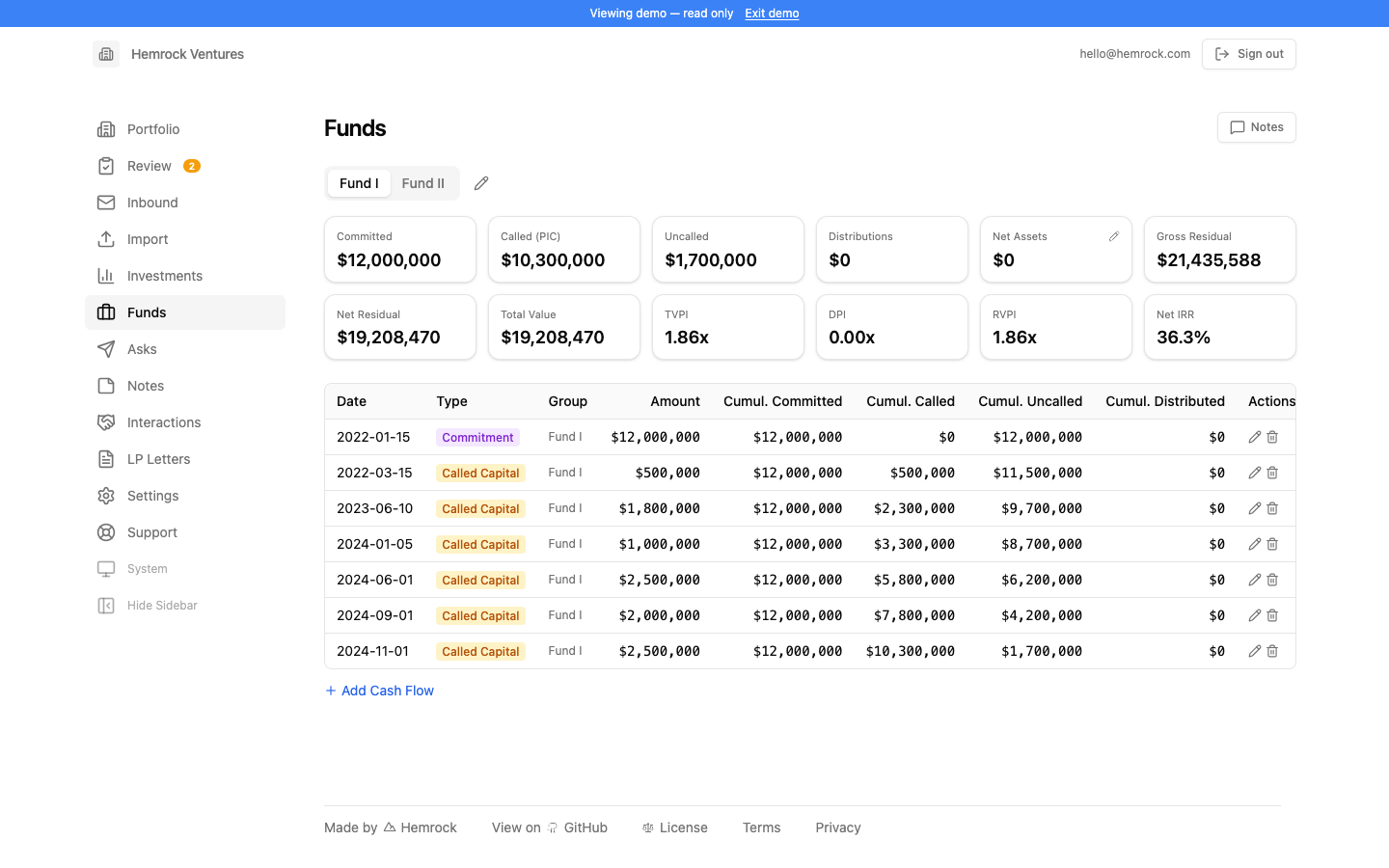
The Funds section is your fund accounting: an optional double-entry ledger per vehicle, off by default. Its landing page is a fund overview. Performance per vehicle (committed, paid-in, uncalled, distributed, NAV, DPI, RVPI, TVPI, and IRR) is derived from the ledger, not typed in. Toggle between net-to-LP and whole-fund, and view it as of any date.
These numbers are exact rather than estimated. Because a period close accrues carried interest into each partner's capital account, an LP's account is already net of the GP's share. So "net to LP" is the LP-class partners' own accounts, with nothing to approximate. (This replaces an earlier version that computed metrics from hand-typed cash flows with an estimated-carry haircut.)
Behind the overview sit the accounting workspaces: a chart of accounts and journal, a bank feed you categorize and post, capital calls booked against a receivable, a monthly close that allocates income and expenses to each partner (accruing note interest and carried interest), and full financial statements plus a schedule of investments that tie to the books.
LP capital accounts themselves live in the LPs section. A ledgered vehicle feeds the same capital accounts and live LP report as a vehicle you simply track by pasting statements. Fund accounting produces them from real books, with more detail and lines behind each figure.
LP reporting
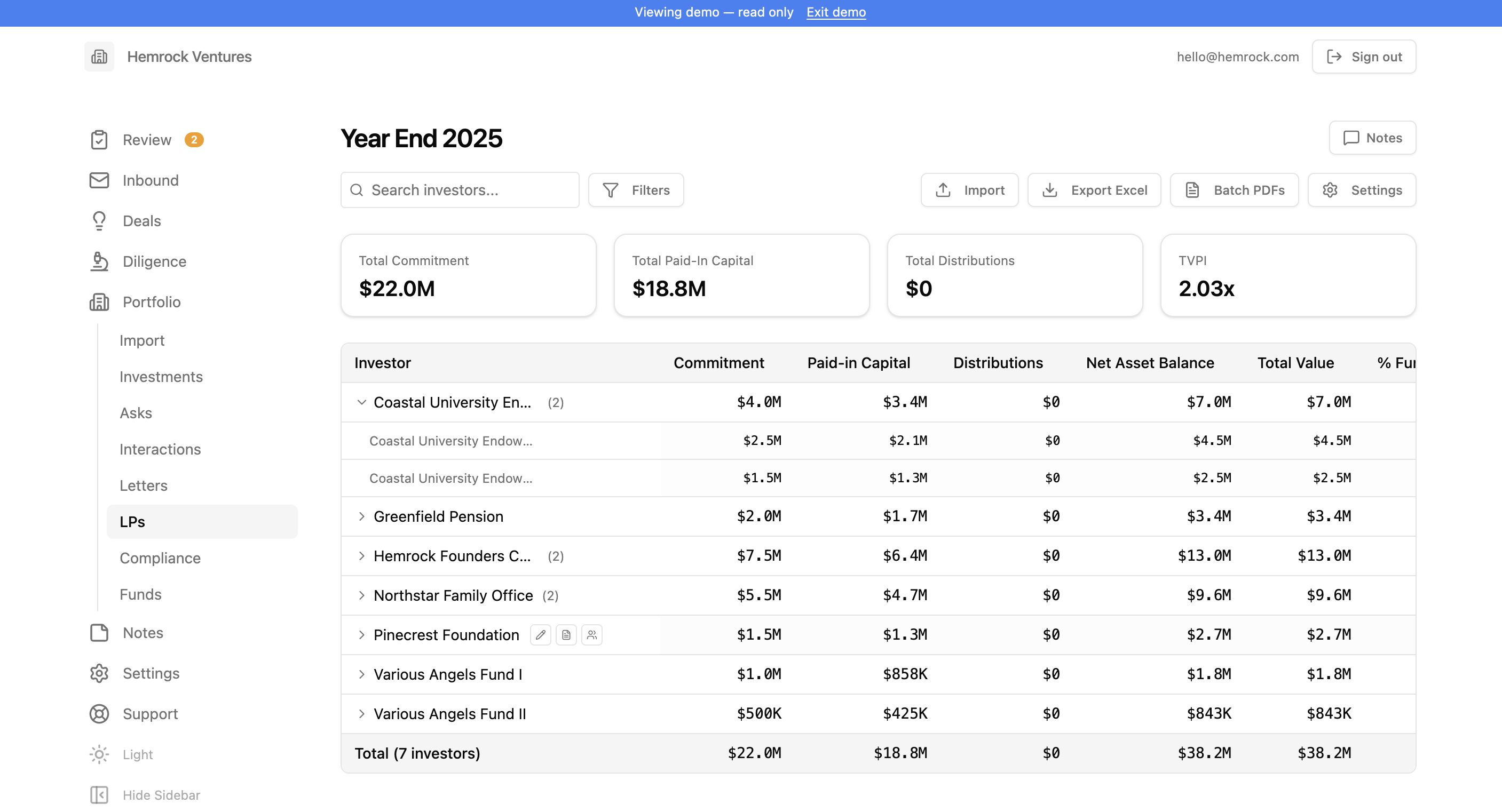
LPs is where you track and report on your limited partner positions across every vehicle. It's a layered capability, off by default: turn on LP capital tracking to track LP capital, and optionally the LP portal and documents on top of it. Both are independent of whether you keep full fund accounting.
Live aggregate. The LPs page shows every LP across every vehicle, rolled up to the investor, as of any date: commitment, paid-in, distributions, NAV, DPI, TVPI, IRR. It reads live from the underlying data rather than a frozen snapshot, so it's never stale. Expand an investor to see their per-vehicle lines.
Capital tracking. For a vehicle you don't keep books on, feed it by pasting a statement (commitment, called/paid-in, distributions, NAV). AI maps the columns into a dated position, stamped with its as-of date. The set of dates is your history over time; the capital account as of any date is the latest position on or before it. Type in or edit figures by hand too. When a vehicle is on the ledger, the same page shows the same accounts from the books.
Report cards. Print investor report cards (the per-investor summary aggregated across vehicles) straight from the live data, one at a time or the whole list at once. Each footnotes when its data was last updated, per vehicle, because vehicles report on irregular cadences.
Snapshots archive. Freeze a point-in-time set of positions and keep it exactly as it was, in an admin-only archive with its own bulk PDF printing and Excel export. Snapshots stop driving the live numbers but remain the record for anything you've already sent. Paste-import, inline edit, group investors under a parent, merge duplicates, filter vehicles, and configure a report header/footer are all still there.
LP letters
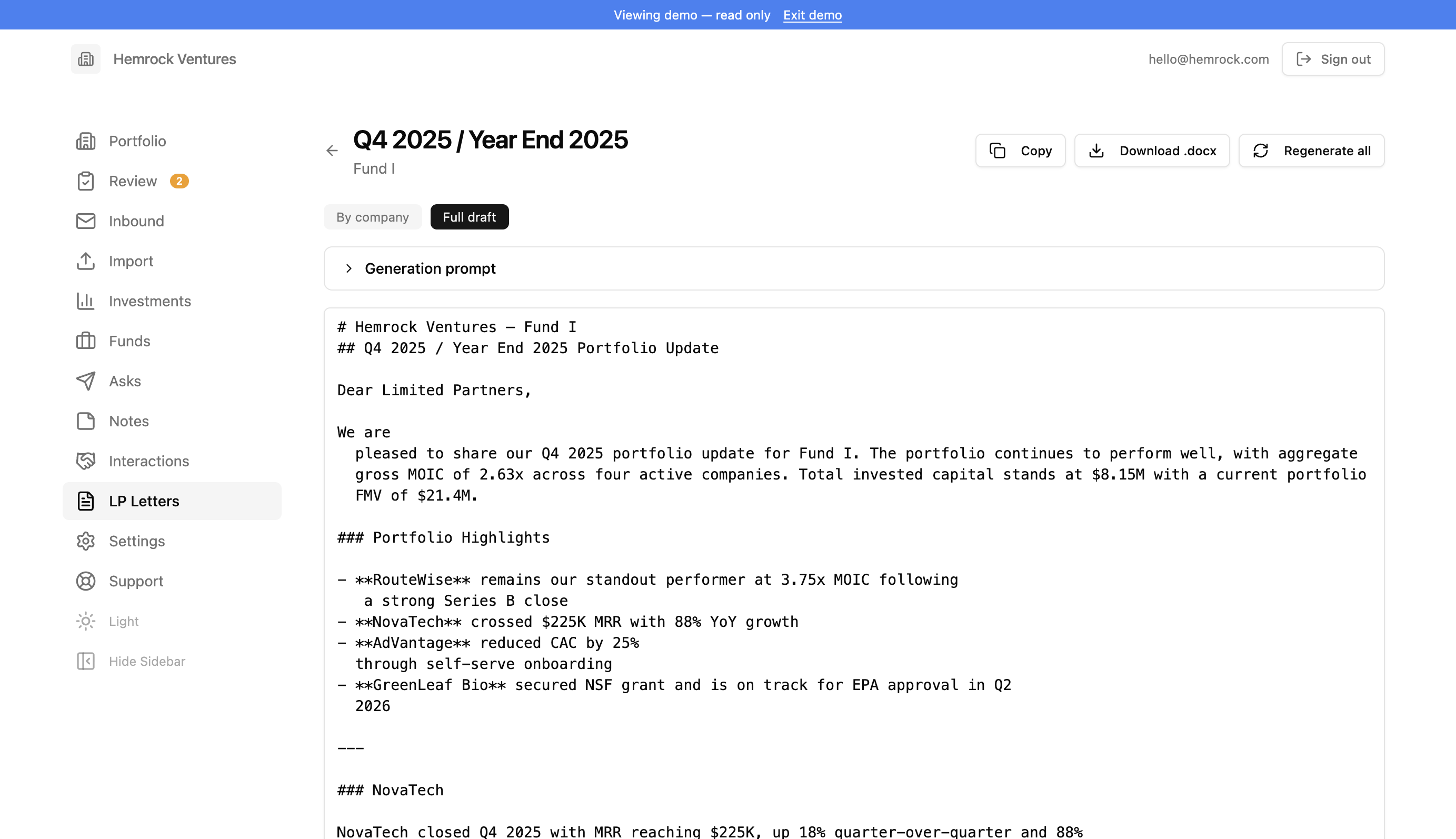
LP Letters helps you generate quarterly update letters for your limited partners. Using AI and your portfolio data (reported metrics, company summaries, investment performance, and team notes), the system drafts professional LP communications scoped to a specific vehicle and reporting period.
Creating a letter. Click "New letter" and select the year, quarter, vehicle, and template. Optionally toggle "year-end summary" for Q4 letters and add custom instructions to guide the AI. A preview step shows the companies and data that will be included before generation begins.
Templates. Upload a previous LP letter (.docx or .pdf) and AI analyzes it to match your writing style, tone, and structure. Or use the built-in default template. Templates are reusable across letters and managed from the Templates dialog on the LP Letters page.
Generation. The AI generates a narrative for each company in the vehicle, drawing on reported metrics, recent trends, company summaries, investment data, and team notes. A portfolio summary table with investment performance is also generated. The full letter is assembled from these sections.
Editing. After generation, the letter opens in an editor with two views. "Sections" shows each company narrative individually for targeted editing, and "Full" shows the complete assembled letter. Edit narratives inline, regenerate individual company sections or the entire letter, and add per-company or global custom prompts to refine the output. Per-company prompts can either add to or replace the default generation prompt.
Export. Export the finished letter as a .docx file for final formatting and distribution. If Google Drive is connected, you can export directly to Drive.
LP portal
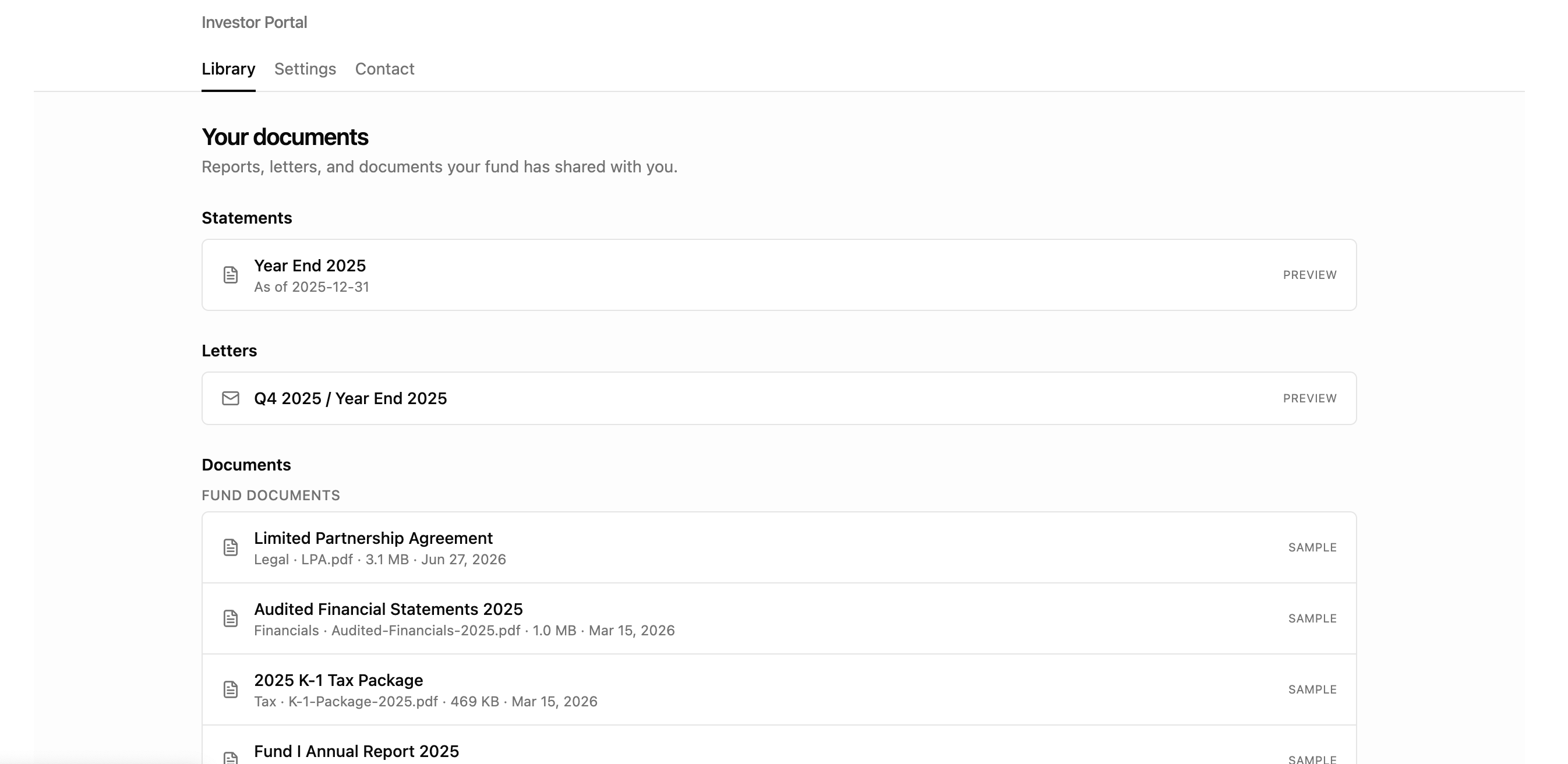
The LP Portal is a private, fund-branded area where your limited partners sign in to see exactly what you've shared with them: their capital account statements, quarterly letters, and fund documents. Each LP only ever sees their own positions; access is scoped per investor on the server, never inferred from the browser.
Off by default, on when you're ready. The portal is controlled by a per-fund switch in Settings. Until you enable it, nothing reaches your LPs even if items are shared. You choose which snapshots, letters, and documents each investor can see.
Statements. Every shared LP snapshot appears as a capital account statement the LP can open as a web page or download as a PDF. The PDF is generated on demand, scoped to that investor's own entities and holdings, with your fund header and footer.
Letters. Shared quarterly letters render as a clean web page and download as a PDF that matches the statement styling, so the two read as one family of documents.
Documents. Upload any file (audited financials, K-1s, side letters, capital notices) fund-wide for all LPs or scoped to specific investors. LPs download them from the portal, with the file type, size, upload date, and category shown on each item.
Send by email. From any statement, letter, or document you can email it to a single LP, several, or your whole list using checkboxes and select-all. Choose how it's delivered: a secure portal link (LPs sign in to view), a PDF attachment, or both. You write the subject and a short note, and see a summary of who received it.
Authorized users. An LP can have authorized users on their account: an advisor, accountant, or family-office contact. They get their own login scoped to that LP, and they're automatically included on emails about that LP's items, so you never have to maintain a separate distribution list.
AI analyst. LPs can ask questions about the documents you've shared with them, answered only from their own materials.