Investment Workflow
Everything between a cold pitch landing in your inbox and a memo your partners can decide on: inbound screening, the deals pipeline, and the diligence agent.
Investment Workflow is the second of the four products, and it covers the pre-investment side of the fund: what arrives, what survives screening, and what earns a memo. It is off by default. Turn it on in Settings when deal flow is something you want to run here rather than in your inbox.
It has two halves. Deals is the inbound funnel: pitches are classified, scored against your thesis, and queued in a pipeline. Diligence is what happens once a deal is worth real time: an agent reads the data room, runs research, puts questions to your partners, and drafts a structured memo.
How inbound email is classified
Cold pitches, partner-forwarded intros, and scout submissions arrive at your existing inbound email address and are screened against your fund's thesis before they reach a partner's inbox. Every inbound email runs through a content-aware classifier that decides between four destinations: reporting (portfolio metrics, the existing pipeline), interactions (CRM-style emails from fund members), deals (a company pitching the fund), or other (newsletters, recruiter spam, vendor pitches).
Sender identity is a strong signal but not a hard rule, so a partner forwarding a cold pitch lands in Deals where it belongs, and a portfolio founder pitching a side project gets routed correctly. Low-confidence items go to a Review queue, tagged with the top two predicted destinations, for quick manual resolution.
Extraction and thesis-fit scoring
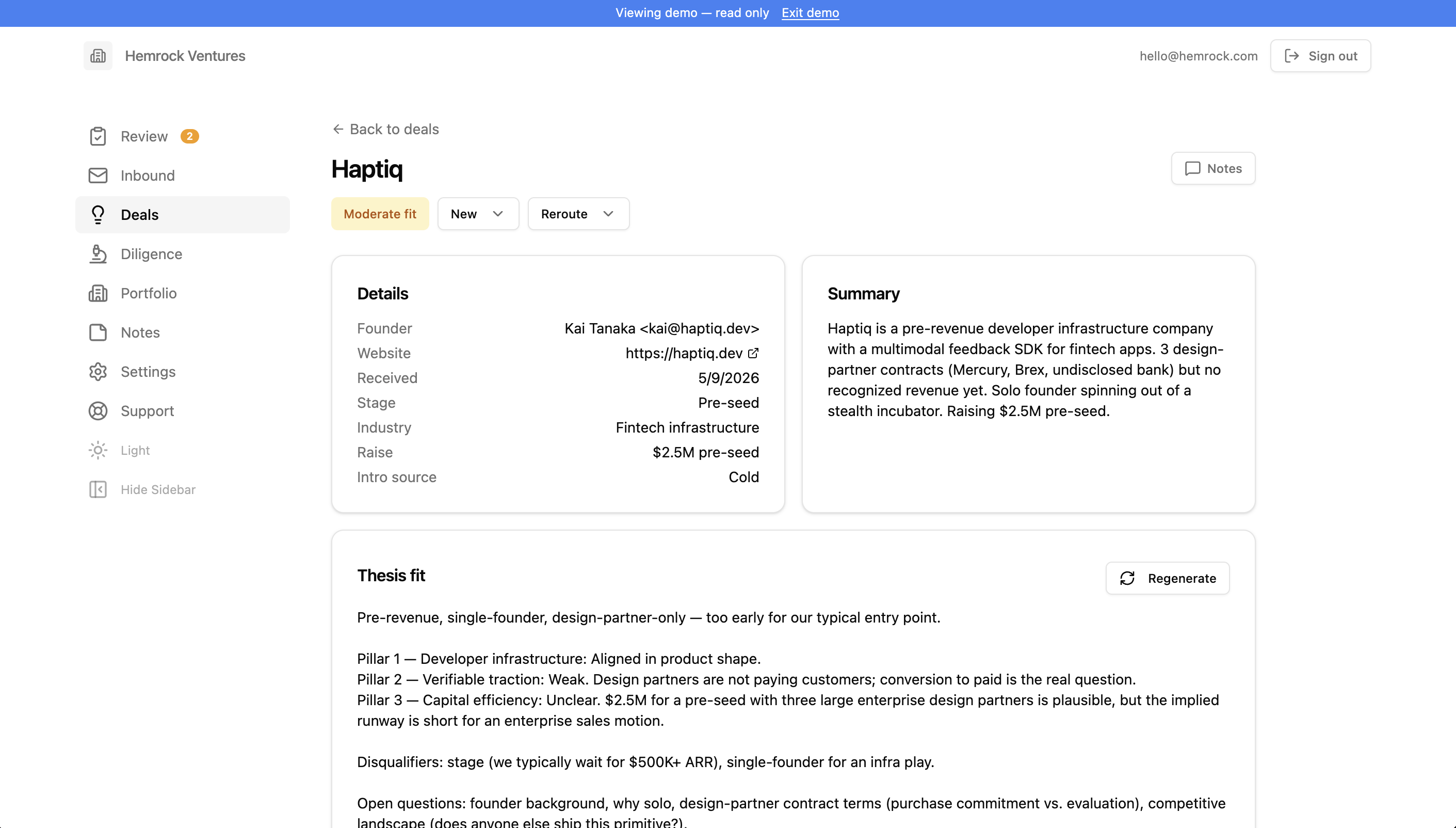
For each pitch routed to Deals, a single AI call extracts company name, founder, intro source (referral, cold, warm intro, accelerator, demo day, event, or other), referrer when applicable, stage, industry, and raise size. It also produces a 100 to 150 word company summary and a thesis-fit analysis with a fit score: strong, moderate, weak, out of thesis, or spam.
Out-of-thesis and spam pitches stay in the pipeline tagged by fit and surface in a weekly digest email, so partners can sanity-check without eyeballing every cold pitch.
The deals pipeline
The Deals page lists active pitches as a sortable table or a kanban board, with drag-and-drop across status columns: new, reviewing, advancing, met, diligence, invested, passed. Click a pitch to see the summary, thesis-fit analysis, source email, attachments, founders, intro source, and a deal-scoped Analyst chat that knows the pitch and your thesis.
The public submission form
Founders can submit pitches directly through a public form at a per-fund URL. Admins generate or rotate the URL in Settings.
The diligence agent
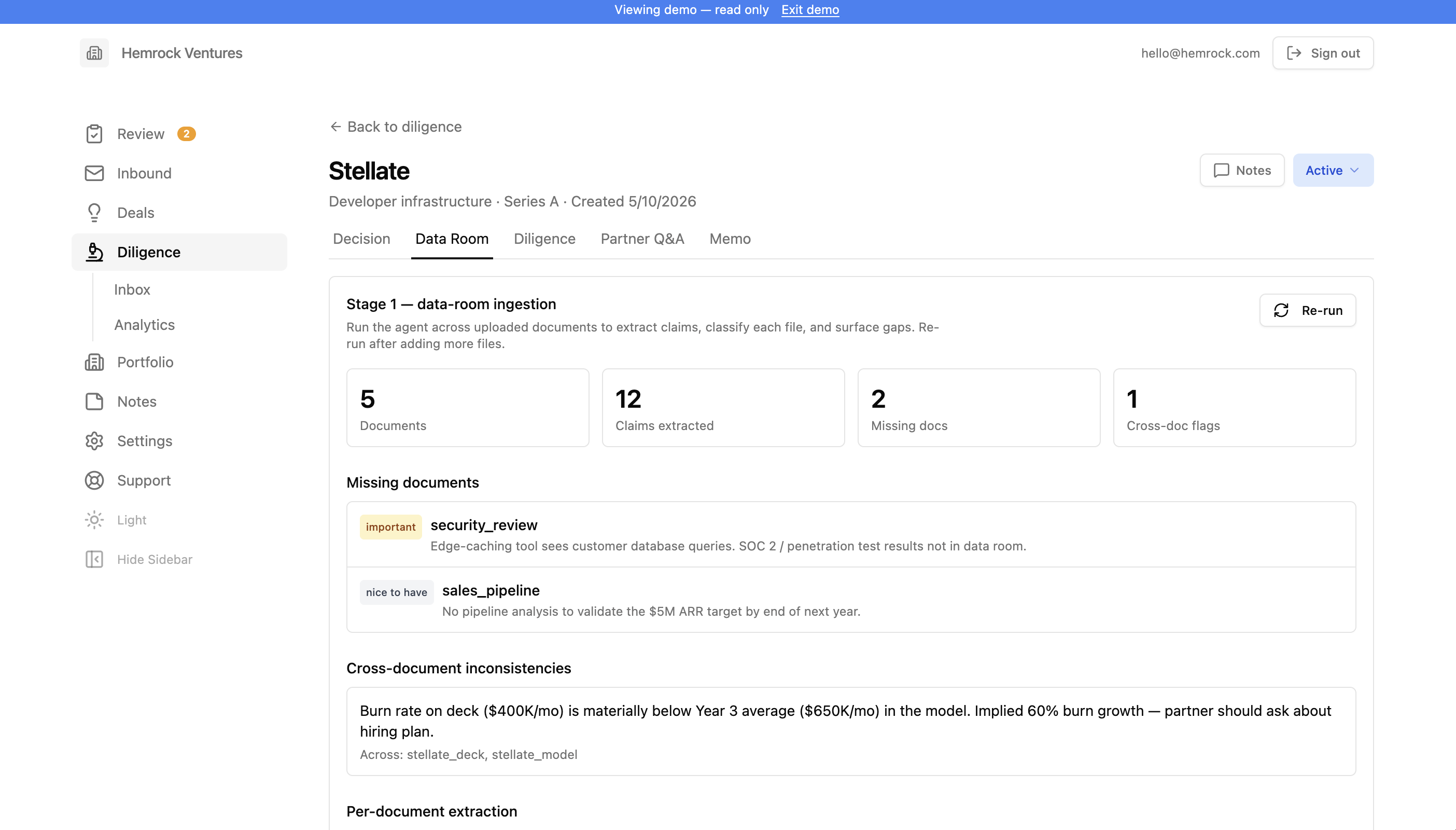
When a deal is worth real time, you create a diligence record, upload the data room, and run a schema-driven agent that ingests the documents, conducts external research, asks partner Q&A, drafts a structured memo, scores it per your rubric, and renders to Word or Google Docs. Each diligence record has tabs for Checklist, Data Room (uploaded files), Diligence (external research), Founders, Scoring, Memo (drafts), and Settings. Partner Q&A runs as an agent stage rather than a record tab.
The agent is operated by seven YAML/MD configuration files ("schemas") that admins edit per-fund through an in-app editor:
- instructions (operating manual)
- rubric (scoring dimensions)
- qa_library (partner Q&A pool)
- data_room_ingestion (per-document extraction rules)
- research_dossier (external research scope)
- memo_output (memo structure)
- style_anchors (metadata for uploaded reference memos)
The schema editor is a plain-text editor with inline YAML syntax validation and version history. Defaults are seeded automatically the first time you open the editor.
Style Anchors are uploaded reference memos that teach the agent your firm's voice. Drop in 3 to 8 prior memos, tag each with vintage, sector, voice representativeness, and partner notes, and the agent uses them to match structure and tone during drafting. A confidence indicator (unavailable, preliminary, reliable, robust) reflects how many memos you've uploaded. Reference memos teach voice. They never supply facts to a new memo.
The agent runs in six stages: Ingest (classify each doc, extract claims with provenance, run gap analysis), Research (verify or contradict claims, build a competitive map, compile founder dossiers), Q&A (next-best partner questions per the qa_library with skip logic against ingestion + research), Draft (assemble paragraphs with paragraph-level citations), Score (rate each rubric dimension; partner-only dimensions like team get null score with supporting material), Render (markdown, .docx, or native Google Doc). Long stages run as background jobs picked up by a worker every minute.
Drafting and finalizing the memo
The memo editor is a single-column view: the rendered memo with inline citation markers and visual treatment for projections, unverified claims, and contradictions, with partner-attention warnings surfaced inline at the top. Partners edit any paragraph in place, update rubric scores by hand, work through the attention items, and finalize when ready. Finalizing locks the draft. Recommendation and team scoring are partner-only and can never be set by the agent.
Across all your active deals, the Inbox aggregates open partner-attention items so you can triage them in one pass. The Analytics view shows the agent funnel with drop-off percentages, time-in-stage medians, win/loss by sector, and throughput per lead partner. Defaults under Settings sets per-deal and monthly token caps and per-stage AI provider overrides (for example, a cheaper provider for ingest, a stronger one for draft).
Settings
Settings includes the investment thesis, the screening prompt, the public submission token, and a Known Referrers list (scouts and friends-of-fund whose intros bias toward Deals).
Related
- Portfolio Reporting: what happens after you invest, including Asks
- Overview: how the four products fit together