Diligence and Memos
The diligence agent reads the data room, runs research, puts questions to partners, and drafts a structured memo with provenance.
Diligence is the pre-investment workflow. When a deal is worth real time, a schema-driven agent reads the data room, runs research, puts questions to your partners, and drafts a structured memo you can edit and finalize. Asks is the other side of the loop: the emails you send portfolio companies to pull in the numbers you report on.
The diligence agent
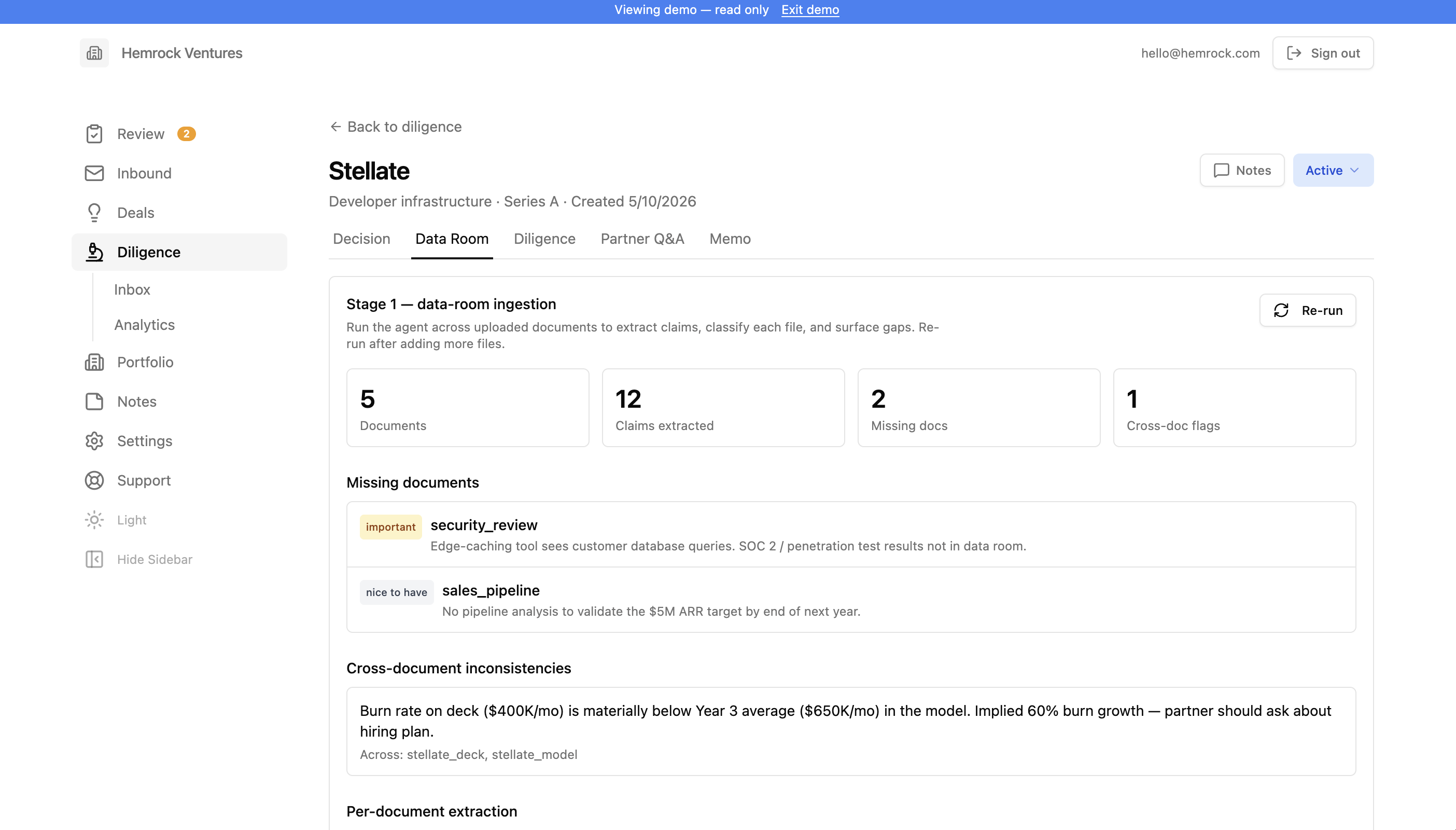
Diligence is the pre-investment workflow: when a deal is worth real time, you create a diligence record, upload the data room, and run a schema-driven agent that ingests the documents, conducts external research, asks partner Q&A, drafts a structured memo, scores it per your rubric, and renders to Word or Google Docs. Each diligence record has tabs for Checklist, Data Room (uploaded files), Diligence (external research), Founders, Scoring, Memo (drafts), and Settings. Partner Q&A runs as an agent stage rather than a record tab.
The agent is operated by seven YAML/MD configuration files ("schemas") that admins edit per-fund through an in-app editor:
- instructions (operating manual)
- rubric (scoring dimensions)
- qa_library (partner Q&A pool)
- data_room_ingestion (per-document extraction rules)
- research_dossier (external research scope)
- memo_output (memo structure)
- style_anchors (metadata for uploaded reference memos)
The schema editor is a plain-text editor with inline YAML syntax validation and version history. Defaults are seeded automatically the first time you open the editor.
Style Anchors are uploaded reference memos that teach the agent your firm's voice. Drop in 3 to 8 prior memos, tag each with vintage, sector, voice representativeness, and partner notes, and the agent uses them to match structure and tone during drafting. A confidence indicator (unavailable, preliminary, reliable, robust) reflects how many memos you've uploaded. Reference memos teach voice. They never supply facts to a new memo.
The agent runs in six stages: Ingest (classify each doc, extract claims with provenance, run gap analysis), Research (verify or contradict claims, build a competitive map, compile founder dossiers), Q&A (next-best partner questions per the qa_library with skip logic against ingestion + research), Draft (assemble paragraphs with paragraph-level citations), Score (rate each rubric dimension; partner-only dimensions like team get null score with supporting material), Render (markdown, .docx, or native Google Doc). Long stages run as background jobs picked up by a worker every minute.
Drafting and finalizing the memo
The memo editor is a single-column view: the rendered memo with inline citation markers and visual treatment for projections, unverified claims, and contradictions, with partner-attention warnings surfaced inline at the top. Partners edit any paragraph in place, update rubric scores by hand, work through the attention items, and finalize when ready. Finalizing locks the draft. Recommendation and team scoring are partner-only and can never be set by the agent.
Across all your active deals, the Inbox aggregates open partner-attention items so you can triage them in one pass. The Analytics view shows the agent funnel with drop-off percentages, time-in-stage medians, win/loss by sector, and throughput per lead partner. Defaults under Settings sets per-deal and monthly token caps and per-stage AI provider overrides (for example, a cheaper provider for ingest, a stronger one for draft).
Asks
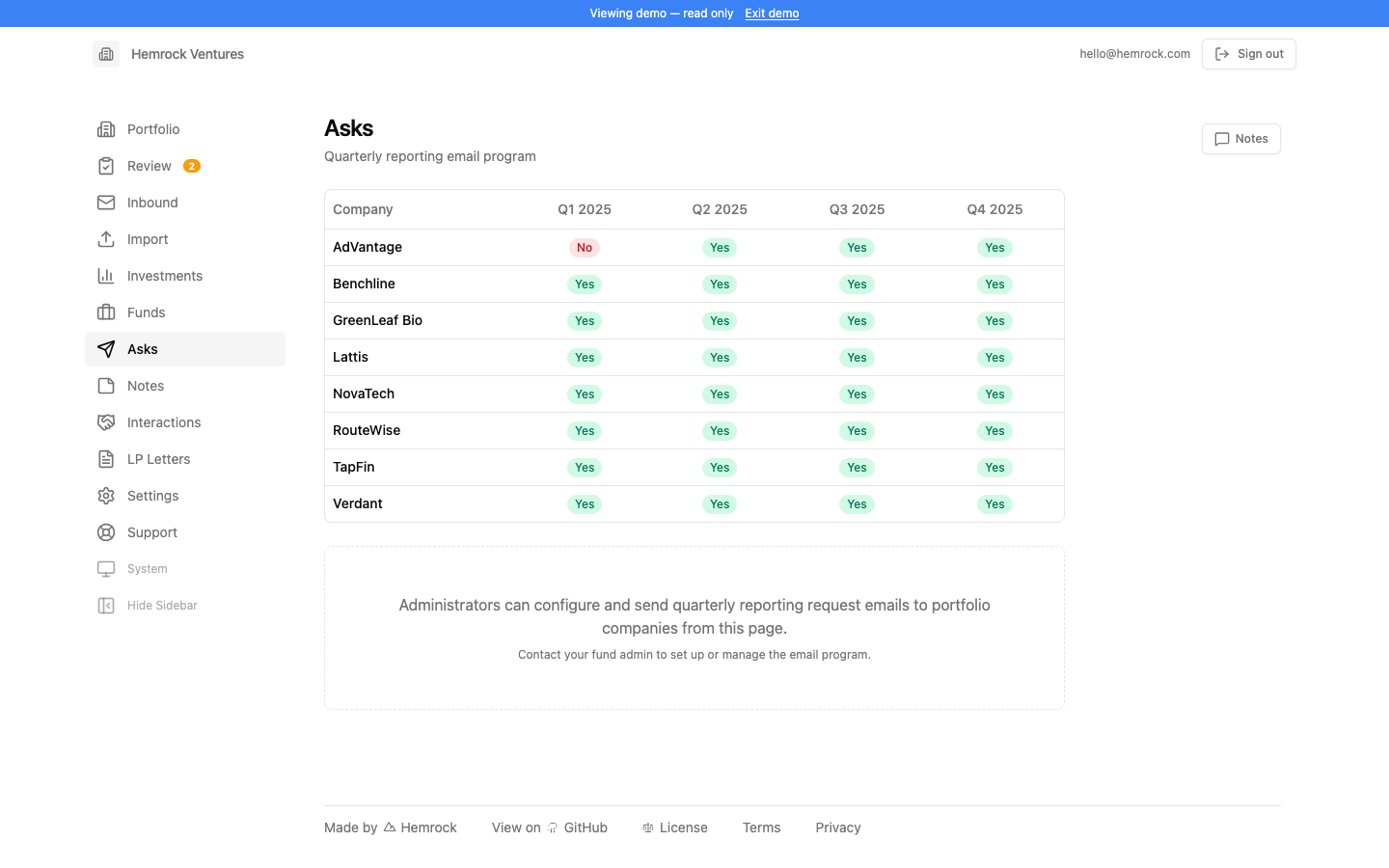
Asks lets you send reporting request emails to your portfolio companies. This is how you kick off a reporting cycle. Compose a message asking companies to send in their latest numbers, select which companies should receive it, and send it out. The system tracks each request so you know what was sent and when.
The email composer supports a customizable subject and HTML body. You can write a standard template that you reuse each quarter, or tailor messages for specific companies. Emails are sent through whichever outbound email provider your admin has configured (Gmail, Resend, Postmark, or Mailgun).
Each request is logged with its recipient list, send timestamp, and delivery results. You can view past requests to see the full history of reporting asks. This is helpful for tracking which companies have been contacted and following up with those that haven't responded.
When companies reply to your ask email with their report, those replies flow into the Inbound pipeline automatically (assuming the sender is on the authorized senders list and replies to the configured inbound address). The full loop (ask, receive, parse, review) is designed to work end to end with minimal manual effort.