Purchase trouble? store.hemrock.com

Compliance, Interactions, and Settings

The operational layer: a compliance calendar tailored to your fund, a lightweight CRM for interactions, and how you configure the platform.

Beyond the metrics pipeline, the platform carries an operational layer: a compliance calendar built around your fund's profile, a lightweight CRM that logs GP conversations and introductions, and the settings that tie the whole thing together. Here's how each one works.

Compliance calendar

Compliance calendar

Compliance helps venture capital fund managers stay on top of regulatory filings, tax deadlines, internal compliance requirements, and fund reporting obligations. It provides a calendar-based view of everything due throughout the year, tailored to your fund's specific profile.

Compliance profile. Answer a short questionnaire about your fund (registration status, AUM range, fund structure, Reg D exemption, state presence, and so on) and the system automatically determines which compliance items apply to your fund, which need further review, and which you can safely dismiss.

Calendar view. All applicable compliance items are displayed in a monthly calendar organized by deadline. Items are color-coded by category: SEC filings in amber, tax filings in green, internal compliance in blue, fund reporting in purple, state compliance in rose, CFTC in orange, and AML/FinCEN in red. Quarterly items like partnership expense reviews and access person disclosures appear in each quarter independently, so you can track and dismiss them separately.

Event-driven items. Filings like Form D and Blue Sky that are triggered by fund closes appear only in the months where your fund has committed capital entries, rather than cluttering every month. This is derived automatically from your fund cash flows data.

Dismiss and filter. Mark items as done for the year (or quarter) by dismissing them. Filter the view between active items, dismissed items, or all items to see what's been completed and what remains.

All items view. A comprehensive list of every compliance item organized by category (SEC Filings, Tax Filings, Internal Compliance, Fund Reporting, Securities Offerings, State Compliance, CFTC, and AML/FinCEN). Each item shows its frequency, deadline, applicability, filing system, and any relevant notes or alerts. Click any item to see full details including regulation links, filing portal links, and your saved reference links.

Links and accounts. Save links to filing portals, regulatory accounts, and reference documents. Each link can optionally be associated with a specific compliance item, and associated links appear on that item's detail card for quick access.

Built-in compliance registry. The system ships with a curated registry of compliance items covering SEC filings (Form ADV, Form PF, Form 13F, Schedule 13G, Form 13H, Form N-PX), securities offerings (Form D, Blue Sky), CFTC exemptions, California diversity reporting, tax filings (Form 1065, K-1s, Form 7004), internal compliance (access person disclosures, annual compliance review, privacy notice), AML/FinCEN requirements, fund reporting (quarterly financials, valuations), and partnership expense allocation. Each item includes detailed descriptions, deadline information, applicability criteria, and links to relevant regulations and filing portals.

Interactions

Interactions

Interactions gives GPs a searchable log of all conversations and introductions with portfolio companies. When a GP BCCs the fund's inbound email address on a conversation, the system automatically detects that the sender is a fund member, classifies the email as a CRM interaction (not a metrics report), and uses AI to extract a summary and identify any introductions.

The classification is automatic. Emails from fund members are routed to the interaction pipeline, while emails from authorized senders (portfolio companies) continue through the existing metrics extraction pipeline. No manual tagging is required.

For each interaction, the AI generates a short summary, detects whether the email contains an introduction between parties, and extracts the names and context of anyone being introduced. Interactions are linked to portfolio companies when possible, so you can see all conversations related to a specific company.

The Interactions page shows all logged interactions across the fund, with filter tabs for All and Intros. Each entry shows the date, linked company, subject line, AI summary, and an intro badge when introductions were detected. Click the intro details to expand and see the names, emails, and context of introduced contacts.

On each company's detail page, a Recent Interactions section shows the latest interactions for that company, with intro entries highlighted in a distinct style. A "View all" link takes you to the full interactions list filtered to that company.

The fund's inbound email address is displayed at the top of the Interactions page for easy reference and can be copied with one click. Simply BCC this address on any email conversation you want to log.

Settings

Settings

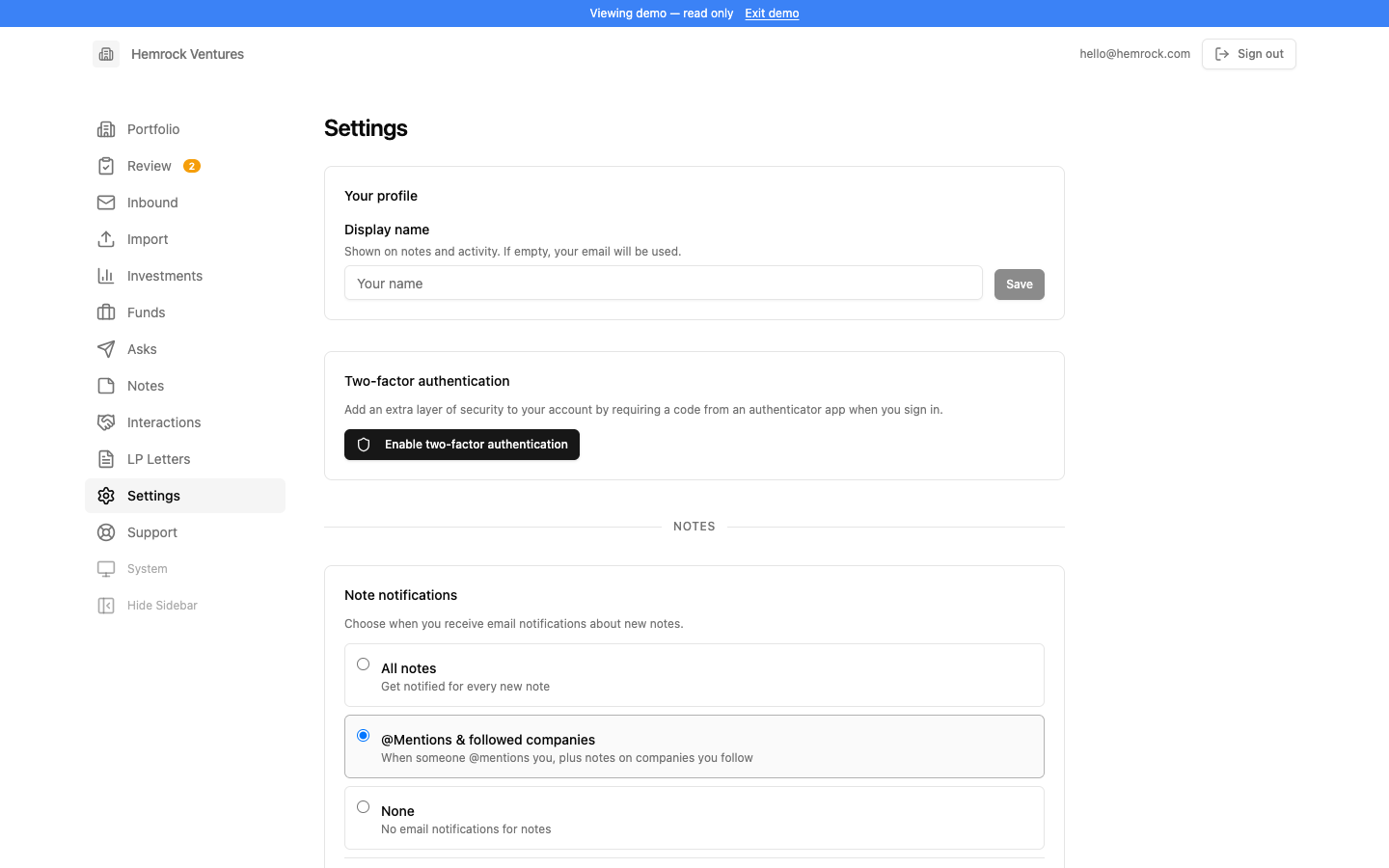
Settings is where the platform is configured. Most settings are admin-only, but all users can update their display name (shown on notes and activity) and enable two-factor authentication for additional account security.

For admins, Settings covers the full platform configuration: AI provider keys and model selection (Anthropic, OpenAI, Google Gemini, OpenRouter, and/or Ollama for local models), the default AI provider for the fund, feature visibility controls, inbound email setup (Postmark or Mailgun), outbound email providers (Gmail, Resend, Postmark, or Mailgun), file storage connections (Google Drive or Dropbox), the AI summary prompt, and email templates for reporting asks.

Admins also manage the authorized senders list (email addresses allowed to submit reports via the inbound pipeline), team members and their roles, and an allow-list that controls who can sign up for the platform. A danger zone at the bottom allows admins to permanently delete all fund data if needed.

For detailed technical setup instructions (configuring Supabase, environment variables, encryption keys, email providers, deployment, and more), see the README on GitHub. It is the best reference for technical implementation details.

Support

For technical questions, feature requests, or bug reports, reach out to Taylor Davidson at Hemrock or open an issue on GitHub.

Each feature has its own page in the sidebar that explains what it does and how it works. The deployed product behind authentication includes additional documentation in its Support section with detailed guides and usage instructions.